

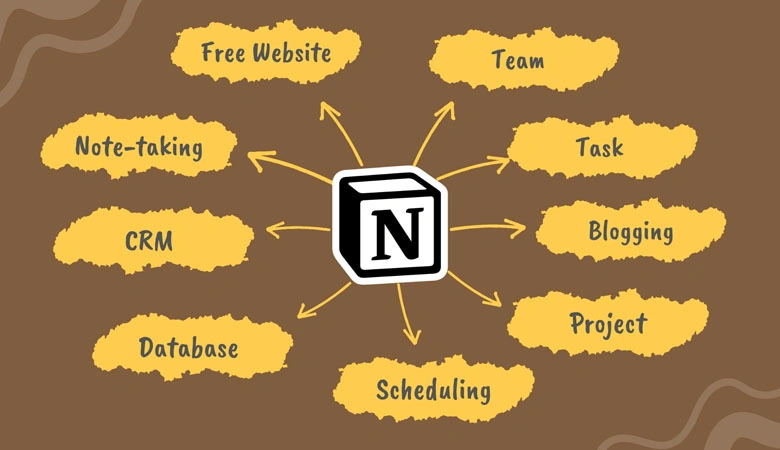
1. Notion: All-in-One Digital Workspace
Notion lets you plan, write, and manage everything—from daily to-do lists to full project dashboards. It replaces several apps by combining docs, tasks, databases, and calendars in one easy interface.
2. Microsoft Teams: Unified Team Communication
For collaboration-heavy teams, Microsoft Teams offers seamless video calls, chat, file sharing, and app integrations. It centralizes communication so you can focus more and dig through email less.

3. Asana: Smarter Task and Project Tracking
Asana simplifies task management with visual timelines, boards, and detailed checklists. Assign tasks, set deadlines, and keep everyone aligned—all while reducing confusion and wasted time.

4. Focus To-Do: Pomodoro and Task Manager Combined
Focus To-Do blends task management with the Pomodoro technique. You can break your day into focus sessions with timed breaks, which boosts energy and minimizes burnout.

5. Google Drive: Real-Time Cloud Collaboration
With Google Drive, you can store, access, and collaborate on documents, sheets, and slides from anywhere. Real-time editing and version history make team projects smoother and faster.
6. Evernote: Effortless Note Organization
Capture meeting notes, web articles, to-do lists, and voice memos all in one place. Evernote makes it easy to search and sync across devices, so you never lose a good idea again.
7. Calendly: Automate Meeting Scheduling
Stop the back-and-forth emails. Calendly lets others schedule meetings with you based on your availability. It integrates with Google and Outlook calendars for hassle-free booking.

8. Grammarly: Polished Writing, Every Time
Write emails, proposals, and reports with confidence. Grammarly fixes grammar, tone, and clarity in real time—helping you sound professional without needing a full-time editor.

9. Todoist: Personal Productivity Assistant
Keep track of personal and professional tasks with Todoist’s clean, intuitive interface. With recurring reminders, labels, and productivity charts, staying organized becomes second nature.
10. Dropbox: Simple and Secure File Sharing
Dropbox offers reliable cloud storage and file sharing for work teams and individuals. Easily sync across devices, control access, and collaborate without risking data loss.
Final Thoughts: Let the Apps Do the Heavy Lifting
Great tools don’t just support your work—they supercharge it. These 10 apps are designed to save time, reduce stress, and improve results. Try integrating two or three into your workflow today, and you’ll start to notice the momentum shift within days. Work smarter, act faster, and become truly unstoppable.