

Step 1: Use Strong Domain Registrar Account Security
Your domain registrar account is where all your domain information is stored, so protecting it should be your first priority. How to Enhance Account Security: • Strong Passwords: Create a unique, complex password for your domain registrar account. Use a combination of uppercase and lowercase letters, numbers, and special characters. • Two-Factor Authentication (2FA): Enable 2FA on your domain registrar account to add an extra layer of security. This requires a second form of authentication (e.g., a code sent to your phone) in addition to your password. • Account Recovery Options: Ensure your account recovery options, such as email and phone numbers, are up to date. This helps if you need to recover your account.

Step 2: Lock Your Domain
Most domain registrars offer a feature known as domain locking, which prevents unauthorized transfers of your domain. Why Domain Locking is Important: • Prevents Transfer Requests: When your domain is locked, even if someone has access to your account, they cannot transfer the domain to another registrar without your permission. • Easy to Enable: Domain locking is typically available through your domain registrar’s control panel and can be activated with just a few clicks. • Increases Time to React: If a hijacker attempts to transfer your domain, the lock gives you time to intervene before any damage is done.

Step 3: Keep Contact Information Updated
Accurate and up-to-date contact information is essential for domain ownership verification. Domain registrars use this information to contact you in case of suspicious activity or changes to your account. Why Updating Contact Information is Crucial: • Registrar Notifications: If your domain is at risk of being hijacked or if there are any changes made to your domain settings, your registrar will notify you. An outdated email or phone number can cause you to miss critical alerts. • Ownership Verification: In the event of a dispute, having the correct contact details ensures that you can prove domain ownership.
Step 4: Use a Trusted Domain Registrar
The reputation and security protocols of your domain registrar play a vital role in the protection of your domain. Choose a registrar known for robust security measures. How to Choose a Reliable Domain Registrar: • Security Features: Look for registrars that offer security features like 2FA, domain locking, and strong account management tools. • Customer Support: Ensure that the registrar provides reliable customer support in case you encounter any security issues or need assistance. • ICANN Accreditation: Choose a registrar accredited by ICANN (Internet Corporation for Assigned Names and Numbers) for better accountability and security practices.
Step 5: Monitor Domain Activity Regularly
Regular monitoring of your domain can help you spot unauthorized changes or suspicious activity before it’s too late. What to Monitor: • Domain Transfer Requests: Keep an eye out for any transfer requests or updates that you did not initiate. • Whois Information: Check your domain's WHOIS information periodically to make sure your details are accurate and no unauthorized changes have been made. • Security Alerts: Set up alerts for your domain to notify you of any unusual changes or activity.

Step 6: Enable WHOIS Privacy Protection
WHOIS privacy protection (also known as domain privacy) hides your personal contact information from the public WHOIS database, making it harder for cybercriminals to target you. Benefits of WHOIS Privacy Protection: • Reduces Targeting by Hackers: By hiding your contact details, you make it more difficult for attackers to gather information for a potential hijacking. • Prevents Spam and Phishing Attacks: Your contact details won’t be visible to spammers or malicious parties, reducing the likelihood of phishing attempts. • Maintains Privacy: WHOIS privacy ensures that your personal details remain confidential, enhancing your overall security.
Step 7: Register Your Domain for a Long Term
Most domain registrars offer registration for one year at a time, but registering your domain for a longer period can provide additional protection. Why Longer Domain Registration Helps: • Reduces Risk of Expiration: If you accidentally forget to renew your domain, it could expire and be hijacked by someone else. A longer registration period reduces this risk. • Prevents Hijacking via Expiration: Some attackers target expired domains and attempt to hijack them. By securing a multi-year registration, you decrease the likelihood of this happening.
Step 8: Be Cautious with Third-Party Services
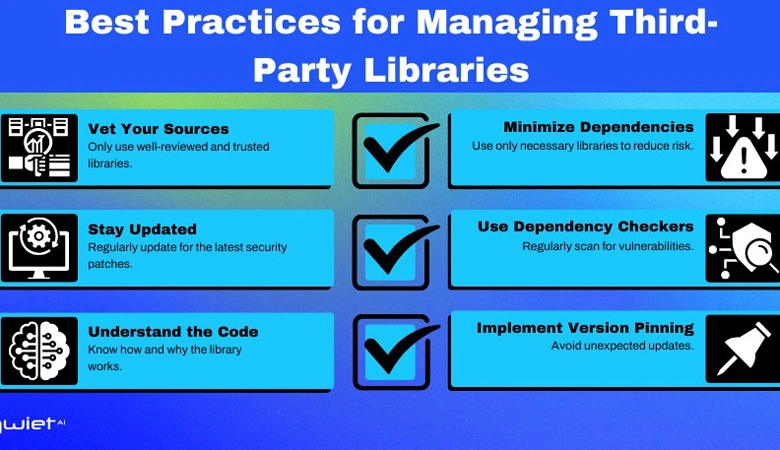
Many domain owners use third-party services like website builders, hosting companies, or marketing agencies that may request access to domain settings. Best Practices When Using Third-Party Services: • Limit Access: Only provide necessary access to third-party services. Avoid giving full control over your domain unless absolutely necessary. • Use Sub-Accounts: If your registrar allows it, create sub-accounts for team members or third parties with limited access, rather than giving them full account access. • Monitor Changes: Always monitor any changes made by third parties to ensure they are legitimate and authorized.
Step 9: Use a Domain Registrar with Domain Theft Protection
Some domain registrars offer an additional layer of security called domain theft protection. This feature prevents unauthorized attempts to transfer your domain to another registrar without your explicit consent. How Domain Theft Protection Works: • Requires Authorization: Any transfer requests must be authorized by you through a confirmation process. • Additional Alerts: You'll receive alerts if anyone tries to modify your domain’s status or initiate a transfer. • Immediate Intervention: In case of suspicious activity, the protection feature blocks the transfer and gives you time to investigate.
Conclusion: Securing Your Domain Against Hijacking
Domain hijacking is a serious threat that can cause significant disruption to your online presence. By following these steps—strengthening account security, locking your domain, keeping contact information current, and using trusted services—you can significantly reduce the risk of hijacking. Regular monitoring and vigilance are key to maintaining control of your domain and protecting your online assets.
By proactively securing your domain, you can avoid costly setbacks and ensure that your website and business remain safe from malicious threats.