


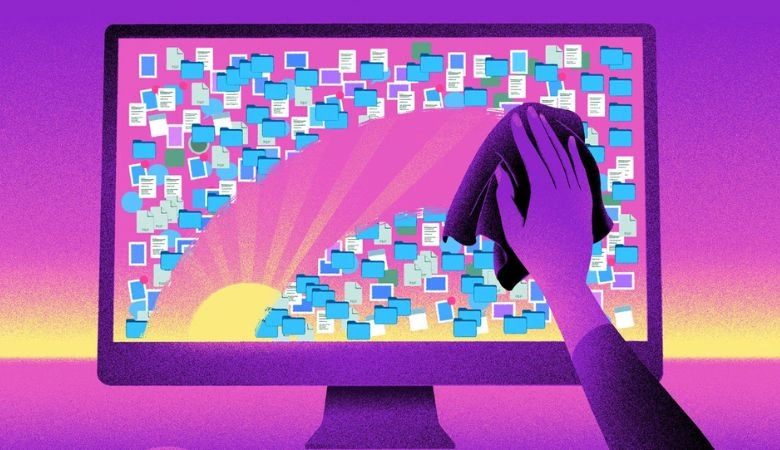
1. Keep Your Desktop (and Digital Life) Clutter-Free
Professionals keep things tidy, and that includes the screen you work on. A cluttered desktop full of random files, screenshots, and folders doesn't just slow down your computer—it can also look messy during screen shares or virtual meetings.
Get in the habit of organizing files into folders, using cloud storage like Google Drive or OneDrive, and removing unnecessary shortcuts. Bonus: A clean digital workspace often leads to a clearer mental workspace too.
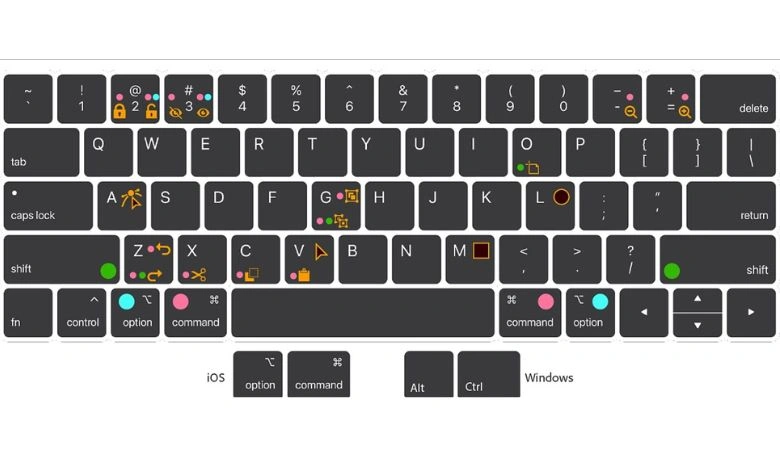
2. Use Keyboard Shortcuts Like a Boss
Nothing says “pro” like someone who flies through tasks without reaching for the mouse every five seconds. Learning keyboard shortcuts for copy, paste, switching tabs, taking screenshots, and managing windows can dramatically speed up your workflow..
It’s a small thing, but when you navigate your tools quickly and confidently, people notice. Plus, most apps and platforms offer cheat sheets or built-in guides for shortcuts—take advantage of them.
3. Update, Backup, and Protect Without Being Told
True professionals don’t wait for something to go wrong—they prevent problems before they start. That means keeping your software updated, enabling auto-backup for important files, and using strong passwords or password managers to protect accounts.
These habits not only improve security but also show that you take responsibility for your tools and data. Trust us: colleagues and clients appreciate someone who’s prepared and never loses files the night before a deadline.

4. Master Cross-Device Syncing
Smart pros don’t waste time emailing files to themselves or forgetting where they saved things. By syncing your devices—laptop, phone, tablet—you can seamlessly move between screens and pick up where you left off.
Whether it’s accessing notes via Notion or Google Keep, syncing calendars, or managing tasks through apps like Todoist or Trello, this habit boosts efficiency and lets you work from anywhere with ease.

5. Communicate Clearly (and Professionally) Online
In the digital world, your emails, messages, and comments are often the first impression. Being concise, polite, and clear in online communication goes a long way. Use formatting tools (like bold or bullet points where needed), proofread messages, and avoid sending walls of text.
Also, learn to use collaboration tools like Google Docs, Slack, or Microsoft Teams efficiently. Sharing well-organized files or giving feedback with clean formatting makes you look like a polished, detail-oriented team player.

Final Thoughts
Looking like a tech pro isn't about having the latest gear—it’s about how you use what you have. These five habits are simple, effective, and can be adopted gradually. Over time, they'll boost your confidence, impress your peers, and help you work smarter—not harder.