


1. Create Strong, Unique Passwords
A strong password is your first line of defense. Avoid using easily guessable information like your name or birthdate. Instead, create a password with a mix of uppercase and lowercase letters, numbers, and special characters. Consider using a password manager to keep track of your passwords and generate secure ones for each of your accounts.

2. Activate Two-Factor Authentication (2FA)
Two-factor authentication adds an extra layer of security to your accounts. Even if someone manages to steal your password, they will also need a second form of verification (like a code sent to your phone) to access your account. Always enable 2FA for added protection on your accounts.

3. Avoid Public Wi-Fi for Sensitive Tasks
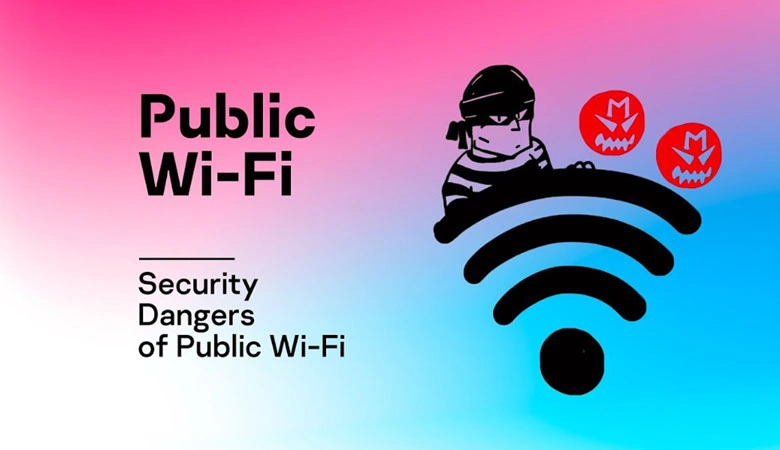
While public Wi-Fi can be convenient, it is often unsecured, leaving your data vulnerable to cybercriminals. Avoid conducting sensitive activities such as online banking, shopping, or accessing private information on public Wi-Fi networks. If you must use public Wi-Fi, consider using a Virtual Private Network (VPN) to encrypt your connection.
4. Regularly Update Your Devices and Software
Software updates are more than just new features; they often include critical security patches to protect your devices from the latest threats. Make sure your operating system, apps, and antivirus software are always up to date to keep your devices secure.

5. Be Cautious of Phishing Scams
Phishing is one of the most common methods cybercriminals use to steal your personal information. Be wary of unsolicited emails, text messages, or social media messages that ask for your login details, credit card number, or other sensitive information. Always double-check the sender's information before clicking any links or downloading attachments.

6. Limit the Personal Information You Share Online
Social media and other online platforms encourage sharing, but oversharing can put you at risk. Be mindful of the personal information you post, such as your location, travel plans, or personal details that could be used for identity theft. Protect your privacy by adjusting your privacy settings to control who sees your posts.

7. Use Secure Websites for Online Transactions
Before entering personal or payment information on a website, check for security features. Look for "https://" in the URL and a padlock icon in the address bar, which indicate the site is encrypted and secure. Avoid entering sensitive information on websites that do not have these security features.

8. Review App Permissions Regularly
Many apps request access to data such as your contacts, camera, or location, even if it’s not necessary for the app to function. Periodically review the permissions granted to apps on your devices and disable any unnecessary access to protect your privacy.

9. Install Antivirus Software and Enable Firewalls
Antivirus software is essential for detecting and removing malware, while firewalls act as barriers to prevent unauthorized access to your device. Always have these security features enabled on your devices to provide added protection from threats.

10. Log Out After Using Shared or Public Devices
If you access your accounts on public or shared computers, always remember to log out when you’re done. This ensures that no one else can access your personal information, especially on devices that might be vulnerable to malicious software or unauthorized users.

Final Thoughts
By following these 10 internet safety rules, you can significantly reduce the risk of cyber threats and protect your personal data. Staying vigilant online is crucial for maintaining privacy and security, so be proactive in securing your digital presence. Start applying these rules today to enjoy a safer, more secure online experience.